Home Blog Page 32

10 Cheap yet Effective iPad Apps for Web Designers

Effective iPad Apps for Web Designers

Designzzz has published many posts regarding free apps but we haven’t seen many posts related to premium apps. So I decided to make a list of top 10 useful iPad / iPhone apps for web designers and developers.

The idea was to select the apps which do first class work on third class rates… these apps are easy on your pocket but they help to make you a lot more productive.

Note from the Editor: This is a guest post from Mr. Marcus Morris. He is a web designer and avid gamer. He owns a site Computer Game Design for students who are looking to attend college for game design.

You might also like: Top 20 FREE iPhone and iPad Apps for 2012

Typography Insight
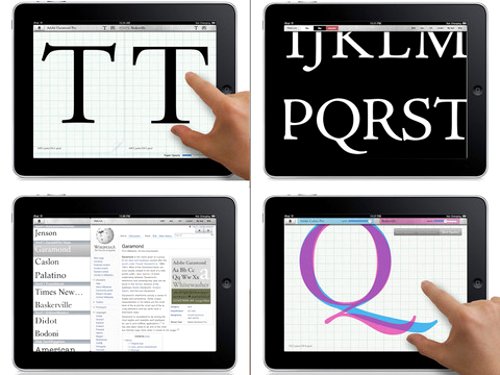
premium ipad app for designers

This beautiful app helps you learn and teach typefaces. With the help of the iPad’s high resolution, you can zoom in on typeface details and manipulate them to create something different. Typography will never be the same. ($1.99)

Gusto
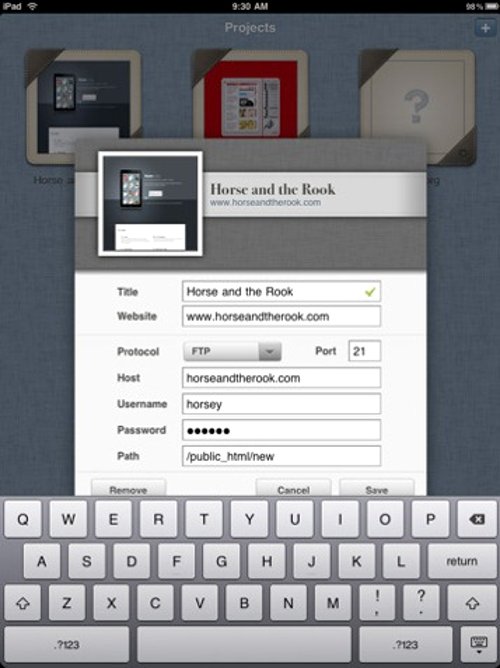
iPad premium app

This app is the ultimate web development tool to help organize your workflow. You can download multiple files at once with FTP and SFTP servers and keep many documents open in separate tabs. The app also allows you to preview your work before it goes live. ($9.99)

Penultimate
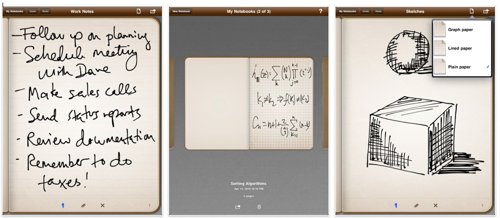
Cheap app for web developers

This app remains the most popular app for writing notes, brainstorming, or drawing sketches in a digital notebook. You can organize different notebooks by topic, customize paper and ink formats, and share your documents with friends and colleagues. ($0.99)

Adobe Ideas
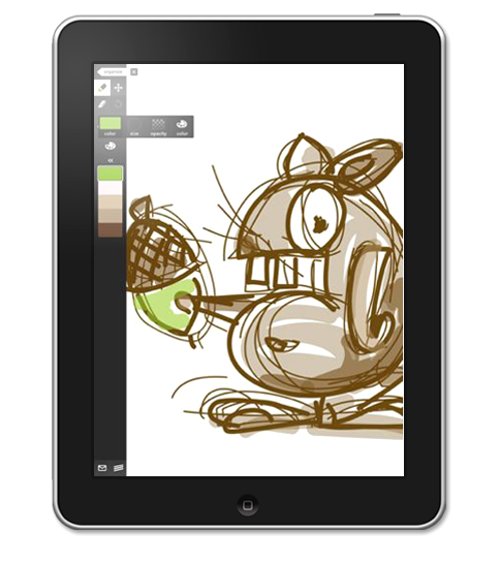
Premium app for designing on iPad

This app acts as a powerful digital sketchbook that easily interfaces with professional Adobe software like Photoshop and Illustrator. It has a number of amazing features, such as a 50-level undo/redo option, color theme capture from photos, and a gallery-style organizer. ($5.99)

SketchyPad
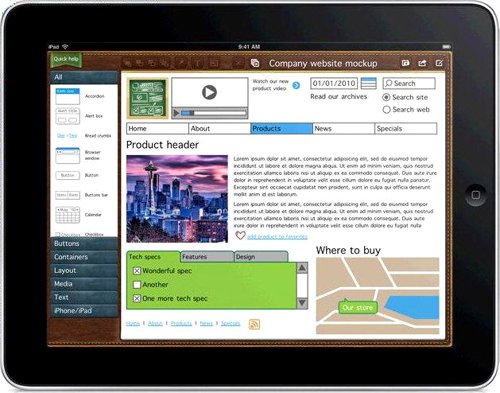
cheap application for web designers

This app makes website sketching and interface making much easier. It has over 60 stencils and lots of customizable settings for colors, fonts, arrangements, icons, and more. It can easily save results to a PNG format that can be sent by email. ($4.99)

iMockups
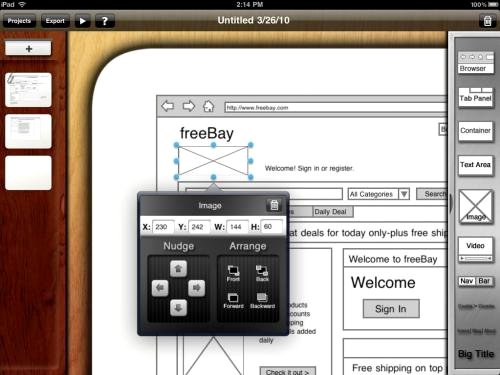
cheap application

This app is a must-have for web and software designers. It helps you easily create wireframes for web projects and apps in a similar way to the program Balsamiq Mockups. In fact, files you make in iMockups can even be opened in Balsamiq, which is useful for sharing files with colleagues. ($6.99)

CSS3 Machine
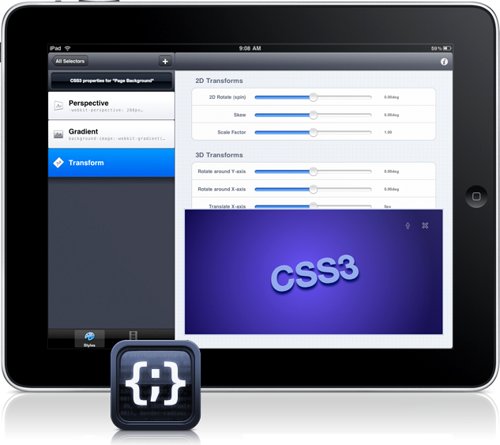
economical app

This app makes complicated CSS3 styles easy to include and play with as part of your web projects. From gradients and drop-shadows to 2D or 3D transforms, this app has amazing design capabilities. ($3.99)

OmniGraffle
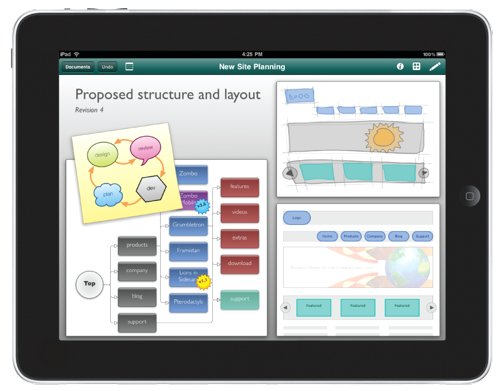
cheap app for ipad and iphone

This app is the ultimate tool for creating flowcharts, diagrams, wireframes, or designs wherever you are. It may have a hefty price tag, but all the features and customizations it offers for making organizational charts make this app well worth the cost. ($49.99)

Font Book
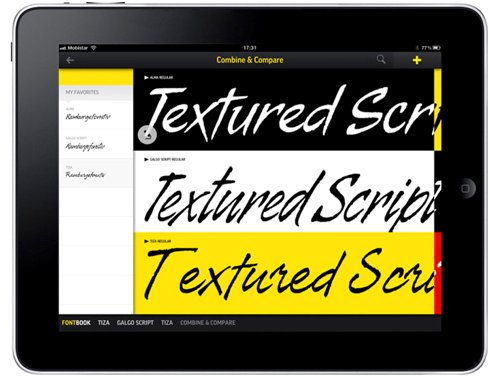
tool for web designers

This app lets you preview thousands of fonts in detail for your next project. It even supports installed fonts. The one downside is that the fonts can’t be used in other iPad apps, but it’s a great way to preview what text will look like in different fonts. ($4.99)

Source Viewer XL
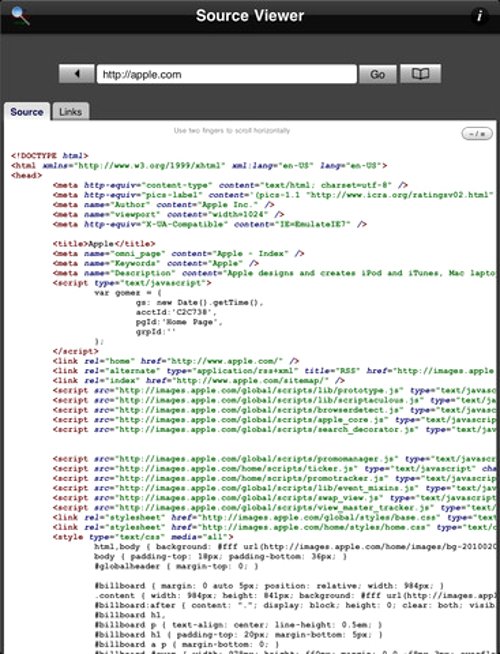
cheap iPad app for web developers

This app will show you the HTML, CSS and Javascript source codes for any website. One useful feature is that you can copy and paste code to a clipboard for later reference. The app will also save your browsing history and color-code tags, keywords, and CSS attributes for easy viewing. ($1.99)
5 Instagram Tips For Nailing the Perfect Photo

Instagram has become a way of life and it’s a place to show off your travel adventures, outfit of the day, or your creations in the kitchen. But, for many, it’s a platform to showcase their products or services to gain a fanbase. Whether you’re using social media for personal or professional purposes, here are tips for getting the perfect shot.

Pay Attention to the Time of Day

Have you heard of “The Golden Hour,” the hour after the sun rises and the hour before the sun sets? It’s believed to be the most photogenic time of day and the best time to take pictures. Based on the time of day, the lighting will change the mood and composition of the photo.

https://www.instagram.com/p/CDFSoJJANVO/

Don’t Be Afraid to Experiment

It may take you a while to get the shot you want, so keep on going until you capture the perfect photo. Look for things that inspire you and take photos of them. Don’t be afraid to play with scale, experiment with digital manipulation, to use different mediums, and to make use of props.

Know Your Equipment

Make sure you familiarize yourself with your camera and all the modes it has to offer. Take some time to learn about focal lengths, aperture, ISO settings, shutter speeds, the lenses, and filters. Also, practice techniques like the folden triangle, the rule of thirds, the golden ratio, leading lines, symmetry and balance, framing, and depth of field.

https://www.instagram.com/p/CDBdO8-MGQF/

Get Out of Your Comfort Zone

Think about what you’re afraid to capture, places you have always wanted to visit, and experiences you haven’t had before and work with it. Getting out of your comfort zone will help you improve your photography skills.

https://www.instagram.com/p/CDGV2XggExw/

Don’t Be Afraid of Editing

Your photo isn’t complete after you finish taking it, especially when you use a digital camera. Over time, you’ll figure out your editing style and what editing program you like best.

https://www.instagram.com/p/CDEWg_YjiaG/

Printable jQuery Cheat Sheet Collection

This is a jQuery cheat sheet collection for web designers and developers.

Cheat sheets are like steroids for web designers. They help us learn things quicker. Today’s cheat sheets are no different. They help us code JavaScript quickly and efficiently.

These are all free jQuery cheat sheets and I have tried to collect as many printable PDF files as I can. A couple of them are not PDF but still, they are printable.

And if you like a gizmo, Code:Deck is a set of geek playing cards that teaches jQuery.

So here’s the free collection of cheat sheets. If you like them, please don’t forget to tweet about them.

Free jQuery Cheat Sheet Collection for Web Designers

To reach the source page of any of these cheat sheets, just click on the name/title.

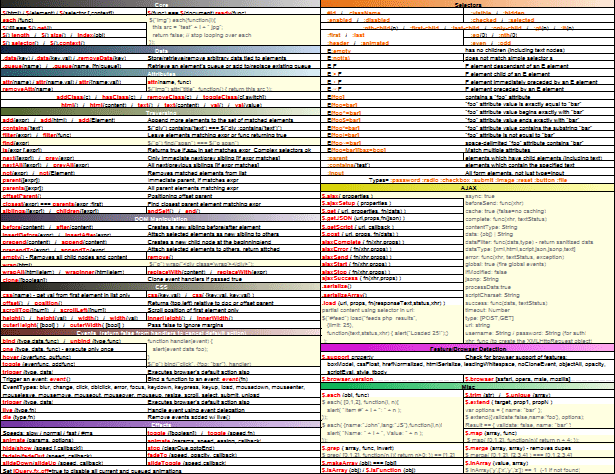
jQuery Cheat sheet by JS Toolbox

I’m placing this one the top of the list because this is one of my favorites in the list. It is one of my favorites because it makes it clear how callbacks receive arguments and what they are. It also clarifies methods of functionality and confusing selector syntax. You can download this cheat sheet in PDF and XLS formats as well as a big 3300px image.

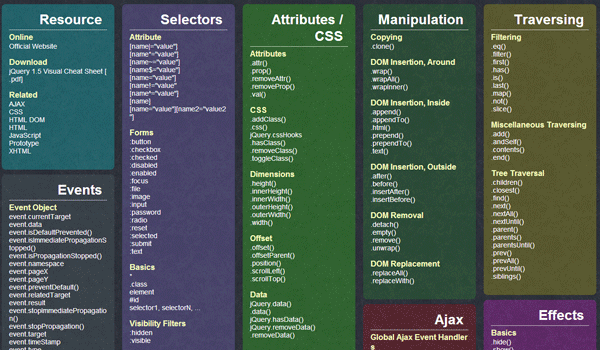
jQuery Cheat Sheet

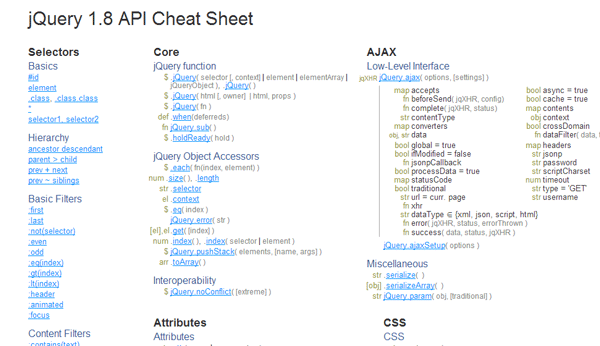
jQuery API Cheat Sheet

This is a big cheat sheet that not only covers jQuery but its relevant CSS as well.

jQuery API Cheat Sheet

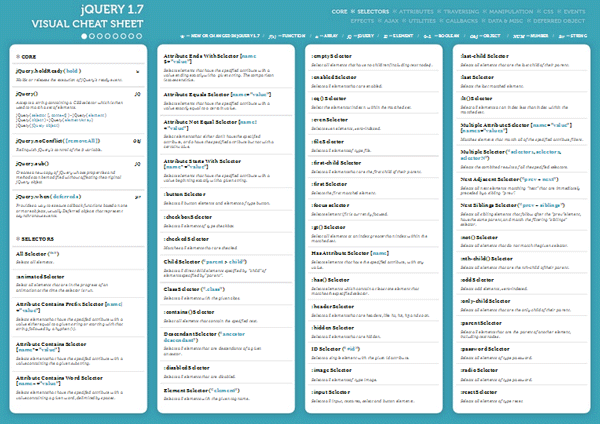
jQuery Visual Cheat Sheet

This is the jQuery visual cheat sheet version 1.7. This is the latest version that was released just a week ago.

jQuery Visual Cheat Sheet

jQuery Reference Card

This jQuery cheat sheet is made by one of the most popular web design post aggregator Dzone.

jQuery Reference Card

jQuery Reference Guide

This is quite a lot like the one above, but this one is more detailed.

Over API jQuery

jQuery API Reference

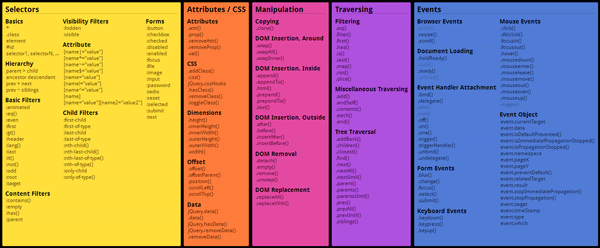
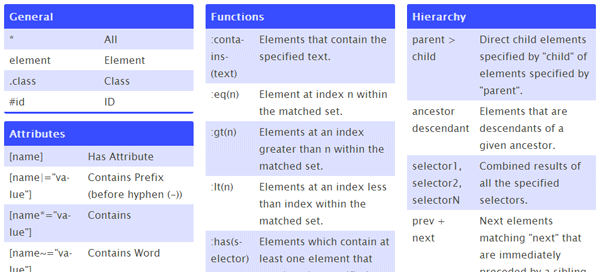
This free jQuery cheat sheet contains code guides for selectors, attributes, events, manipulation and traversing with JavaScript.

jQuery Quick API Reference

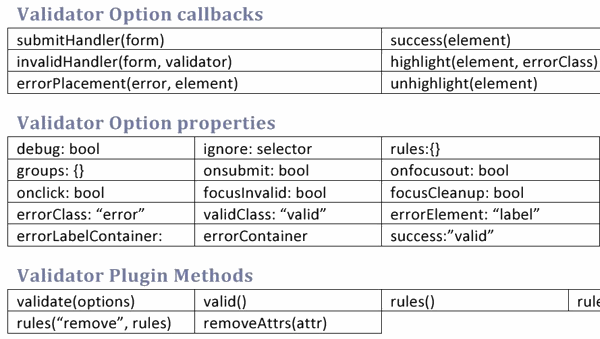
Validator Cheat Sheet

If you want to create valid, search engine friendly codes then this is the cheat sheet for you. It was designed back in 2010 but it is still… valid.

Validator Cheat Sheet

Searchable Cheat Sheet

This is a quick reference guide. If you need to learn a cheat of one particular selector/attribute, you can just search it.

Searchable Cheat Sheet

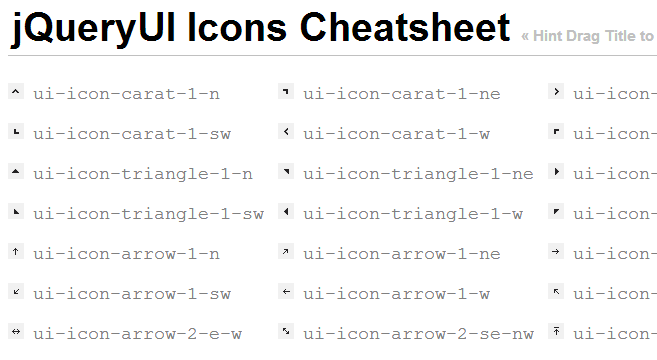
jQueryUI Icons Cheat Sheet

This cheat sheet enables to use jQuery’s  built-in UI icons in your projects.

jQuery UI Icons

Bonus Cheat Sheets

Now let’s check out a couple of JavaScript cheat sheets and a couple of free jQuery cheat sheet-like resources.

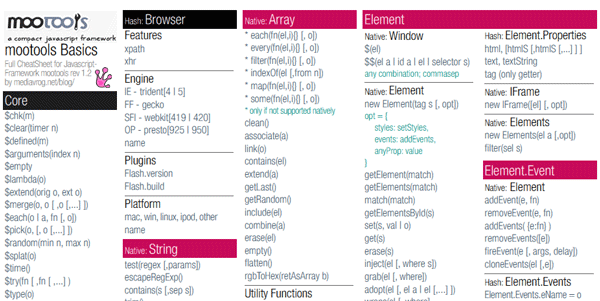
JavaScript Cheat Sheet

This is one my favorite JavaScript Cheat Sheets. This is one of the resources that taught me JS.

MooTools

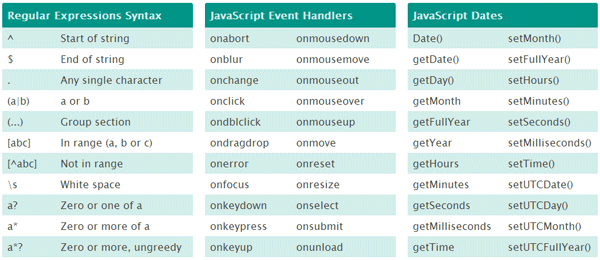
Searchable JavaScript Cheat Sheet

JavaScript methods and functions, a guide to regular expressions and the XMLHttpRequest object.

Searchable JS Cheat Sheet

Above, we covered the latest cheat sheets but there are some other resources worth mentioning.

  • jQuery Cheat Sheet Wallpaper: this one is a little outdated. It was made for jQuery 1.2 back in 2008. Still pretty useful, especially if you want to set it as your wallpaper. Supported resolution is 1280 x 960.
  • jQuery’s Official API: this is a must check resource if you are a web designer.

That’s it everyone. Keep designing, keep developing and stay happy.

14 Best PHP Cheat Sheets

These are PHP cheat sheets for learning programmers and professional web developers.

A cheat sheet is a set of commands written for quick reference, that’s why they are also called quick reference guides. These cheat sheets are mighty helpful for beginners and intermediate level users.

Today I’ve got PHP cheat sheets for beginning programmers who don’t remember all the PHP codes by heart.

Tip: What you should do is that you print out these cheat sheets, stick them up near your workstation.

PHP Cheat Sheets

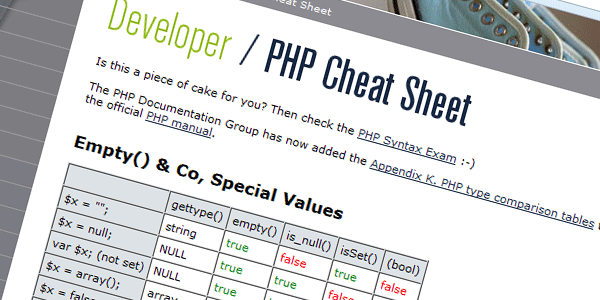
Online Sheet Cheat for PHP 5

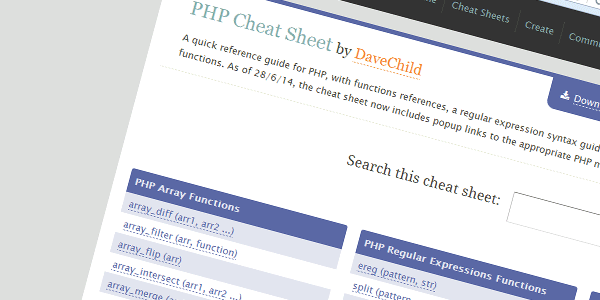
As the title suggests, this is an online version. This is not really printable but it has its advantages. The biggest of those advantages is that it is very highly detailed and it is searchable.

Searchable PHP Cheetsheet

PHP Help Sheet

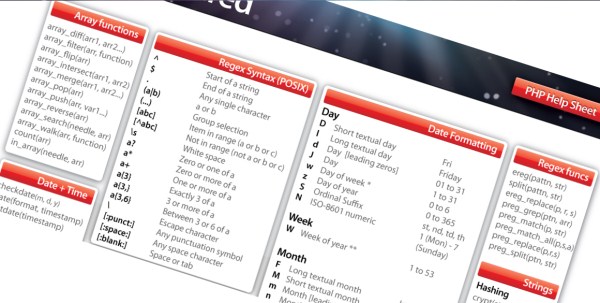
This is a printable PDF file. This PHP cheat sheet is intended for the beginners and intermediate level users. It helps you to perform day to day actions and commands in PHP. These commands may include adding date, time, starting a string, ending a string etc. etc. etc.

php-cheatsheet-help-sheet

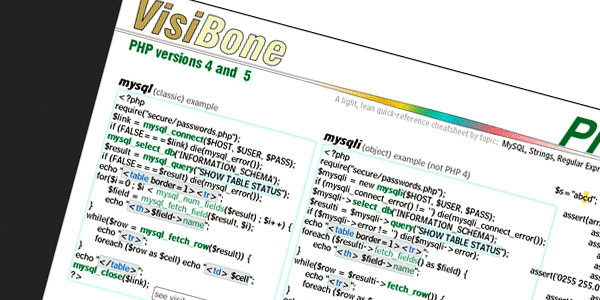
The VisiBone PHP Big Book

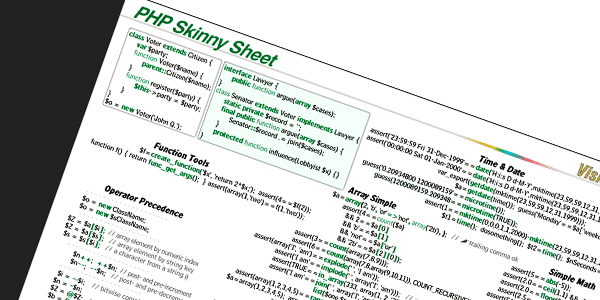
This is a printable cheat sheet. This is in picture format, GIF to be exact. This is also very detailed PHP cheat sheet. The only criticism on it can only be that it is not designed properly and not readable for computer screens.

Skinny Sheet

PHP Reference Sheet Basics

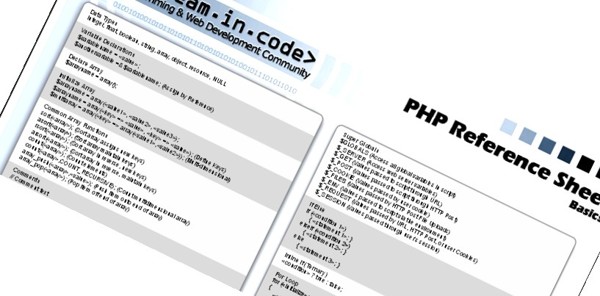
It is in PDF format, hence printable. Nicely designed, compact and ideal for professional level designers.

PHP Reference Sheet

Blue Shoes: PHP Cheat Sheet

Not a very detailed kind of cheat sheet. And its not really printable one, but it is made for specialists. This PHP cheat sheet is presented in an array like format.

Cheatsheet

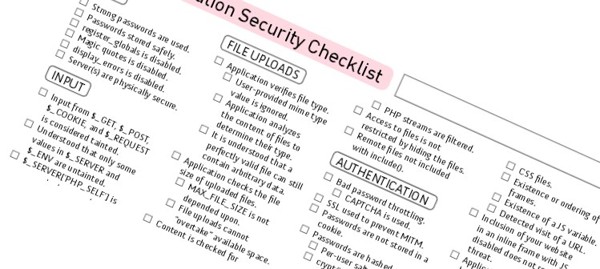
PHP security checklist

This is PDF printable cheat sheet. Excellent for beginners, and regularity for professionals.

PHP security checklist

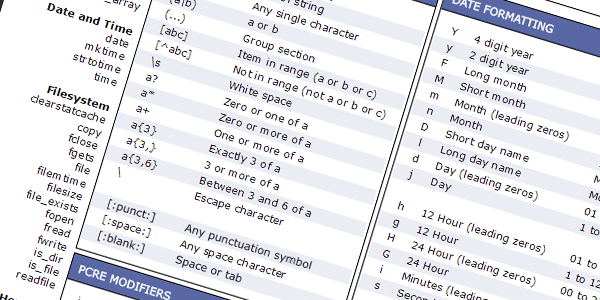
Quick Reference Chart for PHP

Available as online version and PDF printable version as well. It includes the most commonly used commands on PHP. Good resource for beginners and intermediate level programmers and web developers.

Digilife

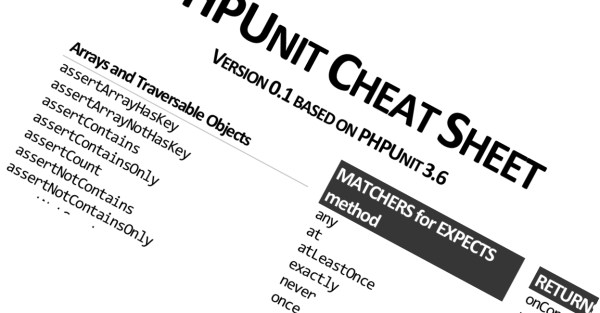
PHPUnit Cheat Sheet

This cheat sheet is available in PNG, PDF and online SlideShare formats. Very nicely made and the large size text make it eligible for mobile device reading.

PHP Unit Cheat Sheet

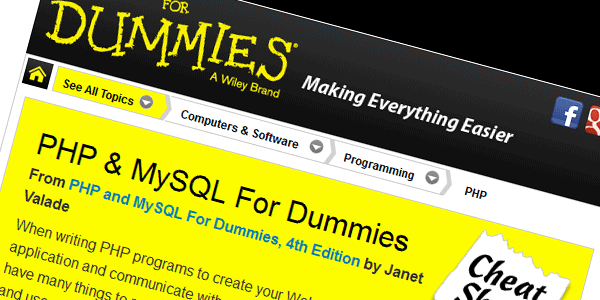
PHP & MySQL For Dummies

This is the official “for dummies” cheatsheet for PHP.

Dummies-cheatsheet

The VisiBone PHP Skinny Sheet

This is again a GIF format PHP cheat sheet. Designed for professionals this cheat sheet guides you in many things.

Visibone

These are all the PHP cheatsheets we had for you today.

Don’t forget to check out our collection of WordPress cheatsheets.

How to Deal with Stupid Clients

Have you ever had to deal with a client who was behaving so stupid that you could barely control yourself from slapping him? Of course you have… multiple times.

It’s not only you. All of us have had those clients from hell who make us wanna rip the arm off just to have something to through at them.

But you know, money is money and if there is a client willing to pay, we need to cater him/her. All we need to do is make the whole experience less annoying.  And we can actually do that!

Dealing with stupid clients is not that difficult if we just realize a few things and follow a few practices. Today I am sharing both of them. You’re welcome.

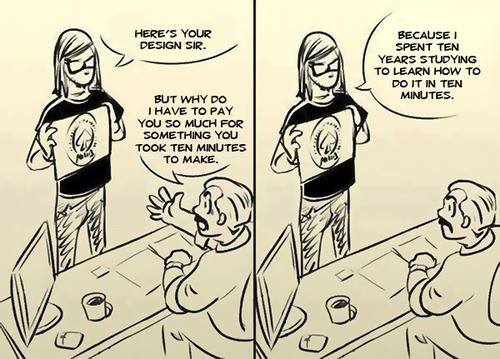
Quote

I’ll be adding examples of client horror stories along the article from the famous tumblr blog. I’m using them as examples so that you’d know what you’re up against and prepare to combat the situation.

Spot the Stupid

The first step towards solving a problem is realizing the problem. So the first thing we need to do is realize whom to treat as a stupid. That’s because normal people need to be dealt with reasoning, honesty and clarity. They deserve quality.

Stupids, on the other hand, need not to be dealt, rather tackled.

Client: I love it. It’s just, the blue on the table, can it be more of a yellowish blue?

Me: You mean green?

Client: No! I don’t mean green! I mean more of a yellowish blue!

I open the color palette and ask him to point the color. His finger points at light green.

Me: That is green.

Client: NO! It is not! It is yellowish blue!

Once you have realized that your client is one the dreaded kind, switch gears.

1. Basics of dealing with stupid

When we are dealing with people who have common sense (which is a rare commodity these days), we educate them. We make them realize their needs, we tell them the importance of user experience and accessibility, and we do many other things. Those clients appreciate it because they consider us designers an authority on the topic. Stupid doesn’t think so.

When you are dealing with a stupid, never ever try to educate him/her. They will take it as insult.

Designers Life

You need to treat them with utmost respect. Make them feel that you don’t consider them an idiot. They will love you.

2. Don’t complete your work, finish it

One thing that is almost certain with these clients is that change of heart is inevitable. They keep finding stupid ideas and they keep throwing them towards you.

Naturally, in such a scenario, when things keep on changing you won’t be able to make one masterpiece. Even if you can, it is not going to be appreciated so it is not worth the bother.

Client: My colleague told me one page websites are really hot these days.

Me: I’m already half way through your current web design.

Client: No, make it one page.

I complete one page web design and send it over.

Client: My brother-in-law told me Google doesn’t accept one page websites.

Me: Google does accept them. Believe me.

Client: No, multi-page it is.

You don’t need to work on intricate details. Just finish the job. The quicker you finish it, the less annoying it will be and more likely you will be of getting paid.

3. Money first

We do it for the money right? But these clients are not always willing to see our side of the story. When they have a change of heart, they just simply refuse to pay.

You need to be prepared for that.

Client: The client is unhappy. People are not taking part in the campaign. We are not sure we can pay you since we are not sure they will pay us.

Me: What does this have to do with me? Everything I was responsible for works just fine.

Client: Look, we’re not too happy about it either, but that’s life.

If you know that someone can trouble you later on, always – I repeat, always – ask for an upfront amount enough to save you from losses. This is your insurance policy. If the client is refusing it altogether, don’t take the project. It’s just not worth it.

4. DON’T make them realize their needs

They don’t know anything about designing, but they believe that they do. And here’s the tricky part, if  you make them realize that they don’t, they won’t like you. You need to preserve their bubble.

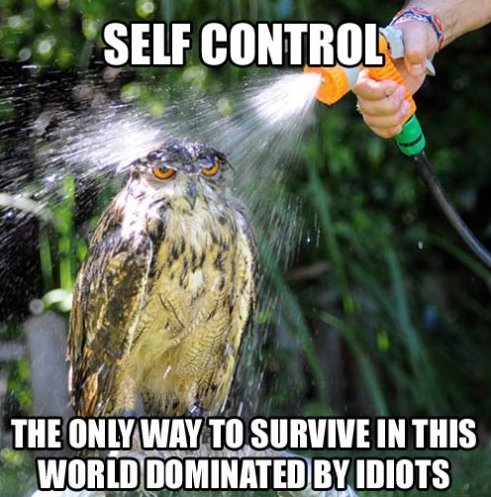
Self Control

They will make outrageous mistakes. You will have to cope with it with patience. This is because is purely because you need the money. Don’t correct them, don’t teach them, just finish the job. They want a gradient of magenta merging into to ocean blue… just make it. Even if you do know that it will never be accepted, just do it.

Also, don’t teach them, inform them. Here’s an example:

Me: How about this font?

Client: That’s too modern looking.

Me: It’s from over 200 years ago.

Don’t tell him that the font is from 200 years ago. If he says it’s modern, that it is dammit. Just change the font.

5. Don’t leave anything on them

Leaving anything on clients is a big big mistake. Sometimes we do have to be but try to do it as minimal as possible.

Client: I received the 3 business card designs. Thanks.

Me: So which one do you like?

Client: I don’t know. I like all of them.

Me: *facepalm*

The above example is actually cute. In fact the designer can take it is a compliment. But not everybody is like that.

Client: We really, really, really need this done by 4:30.

Me: No problem. Once I get the feedback I’ll jump right on it.

Feedback doesn’t come in until 4:25.

Me: So, is the deadline pushed then?

Client: Why would it be?

If you do have to, just have to leave something on the client’s side… make sure that you properly follow it and stay updated with whatever is happening. If you leave anything on them, they will not do it, at least they won’t do it properly and you’ll get in trouble.

Conclusion

It’s getting late so I’ll conclude here. But if you like the topic, we can write more articles on similar topics. Please do comment and share your thoughts.

Getting back to the conclusion, here’s a checklist of the things we need to keep in mind while working with stupid clients.

  • Treat them with great respect.
  • Don’t try to educate them or correct them.
  • Work only to finish the project, not complete it. Do as quick as possible.
  • Be emotionless. Follow orders like a machine, even if you know the orders are stupid.
  • ALWAYS ask for some amount upfront.
  • Don’t leave anything on their side.

That’s it guys. That’s the juice of my 12 years of experience of working in the market. This is how I tackled stupid clients.

If you have any client horror story or you have any advice for me and fellow readers, please do share it.

11 Stunning Photo Manipulations of Landscape and Scenery

11 Stunning Photo Manipulations and Digital Artworks of Landscapes Gathered From DeviantArt.

Usually Adobe Photoshop is the software that is used to create these photo manipulations but since Photoshop is becoming more and more expensive, artists use many other applications as well. If you are also looking for a way to avoid Photoshop, look here: 9 Free Photoshop Alternatives

Photo manipulation is a different kind of digital art. Rather than ‘creating’ an image, the artist mixes real photos and enhances it digitally to add that imaginative feel. It is a great inspiration just for artists but designers as well.

To go the artist profile click on artist name and to get to the artwork source page click on the artwork name.

The Islander by =kire1987

islander photo manipulation

Devil’s Sea

bermuda triangle photo manipulation

From a Perfect Fairy Tale

fairy tale photo manipulation

Cintra

cintra photo manips

Age of Enlightenment by `gilad

englihtment photo manipulation

MULTI CITY by *JJasso

multi city photo manipulation

Light’s last breath by ~YagaK

light photo manipulation

Dream House by ~oilcorner

Dream house photo manipulation

canvas of the night by =detail24

canvas night photo manip

Frozen Valley by `kuschelirmel

Frozen Valley photo manip

A New World by ~KittyD

a new world photo manipulation

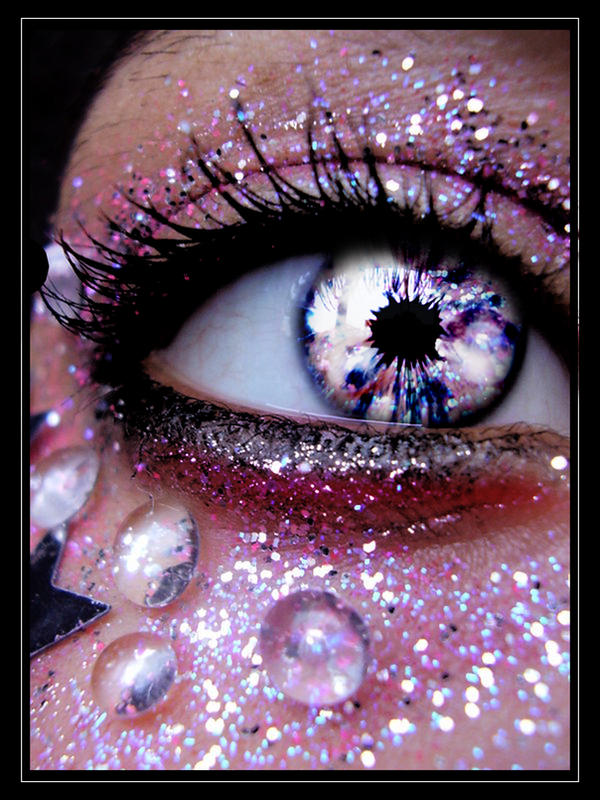
16 Stunning Eyes Photo Manipulations In Digital Artworks

16 Stunning Eyes Photo Manipulations In Digital Artworks gathered from Deviant Art Collections

Photo manipulation is a different kind of digital art. Rather than ‘creating’ an image, the artist mixes real photos and enhances it digitally to add that imaginative feel. It is a great inspiration just for artists but designers as well.

In this Collection it is the photo manipulation of eyes. Which results in beautiful and attractive images!

All these images are gathered from Deviant Art and all the artists are properly linked back.

To get to the artist profile click on their name and to go the original source of the art work click on the image. Don’t Forget to leave comments !!

 If you like this post, you would also like: Landscape Photo Manipulations

Masked Deception by ~i0n-unltd

 Eye Digital Art

Butterfly Glamour by *ih8m0r0nz

eye butterfly photo manipulation

Eye serie 11 by ~MelckyXY

 Eye photo manipulation

Cold as Ice by ~lorency

 cold ice eye digital art

The All-Seeing Eye by ~Lady-Tima

eye clock digital art

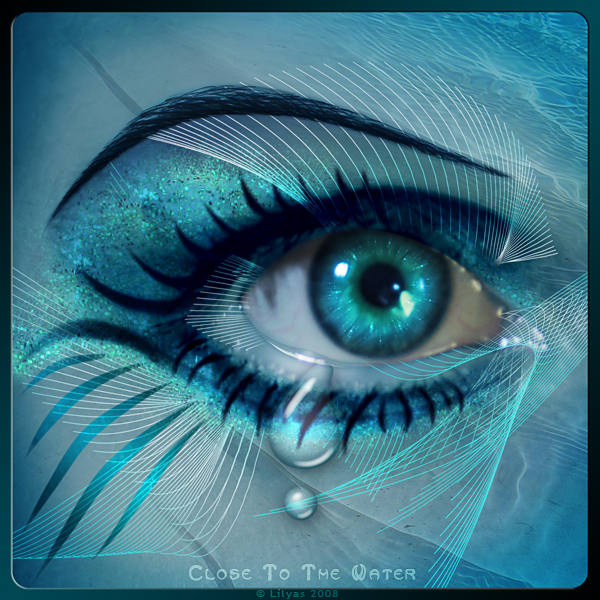
Close to the Water by `Lilyas

eye water photo manipulation

The Golden Fairy’s Eye by ~belez

 Golden Fairy Eye photo Manipulation

Snow queen by =riamali

 snow queen photo manipulation

Tears of ice

 tears of ice photo manip

Lost in space…

eye space digital art

Solaris by =NiAnluain

solaris eye photo manipulation

The Eye of the World by ~AnubisServent

 eye of world digital art

Looking Through Time by ~LadyVictoire

 eye through time photo manipulation

For my lover V: Color my World by *Sortvind

 Love Eye digital manipulation

World of Warcraft draenei Eye by ~iluvjono4eva

 warcraft eye photo manip

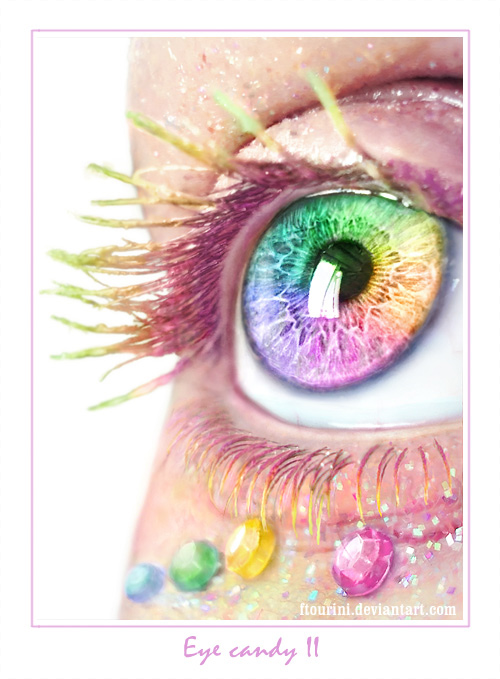
rainbow eye by =ftourini

 rainbow eye digital art

The Most Useful CSS Cheat Sheet Collection

If you have a big, nice CSS cheat sheet, you will never forget a CSS code ever again.

A CSS cheat sheet is a quick reference guide that helps you to find properties of the attribute you are applying. Naturally, such as cheat sheet is a valuable resource for any web designer, especially the ones who do not have all of CSS language memorized by heart.

If you design websites and work on frontend coding then you must check out this collection.

We will start with my favorite PDF file that I have been using for years, then we’ll move onto CSS selectors cheat sheet and later down the order we have a few more.

I’m only featuring the very best ones found on the internet. I waste my time finding the best ones so you don’t have to.

Free CSS Cheat Sheet Collection

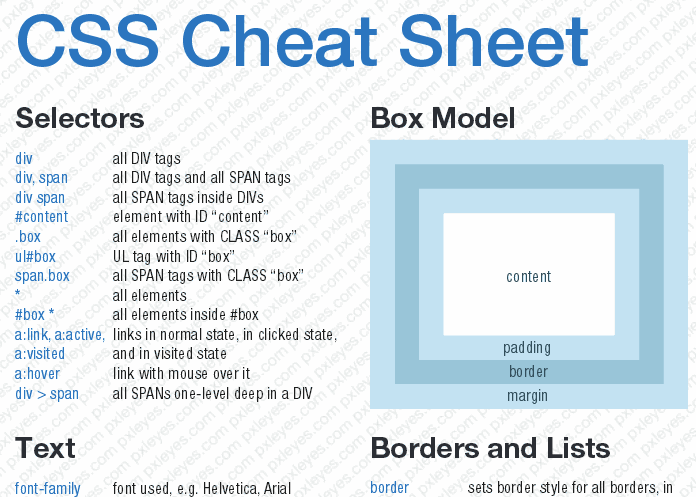
The CSS3 Cheat Sheet in PDF

This is a mega CSS cheat sheet that I have been using for years. It is in PDF format and contains five long pages or CSS code help, attributes and properties. If you are a beginning designer, you must have this one.

CSS cheat sheet

CSS Selectors Cheat Sheet

This CSS selector cheat sheet contains only the selectors that have come new in CSS3. For the selectors that were there in CSS2.1, you find the old cheat sheet.

CSS selectors cheat sheet

CSS Properties Index

This is a continuously updated resource. It contains a chart of compatibility as well code help. This is also a very important resource for beginning web designers. Sadly, it is not available in PDF.

CSS properties index

CSS Help Sheet

There are two cheat sheets here. One is for CSS2.0 and another one is for CSS3. These are also in PDF format and they have been optimized for getting a print out of them.

CSS Help Sheets

CSS3 Support Compendium

This one is not just a cheat sheet but a full-fledged compendium. It contains almost all of the CSS3 codebase in it. You can just browse to the one you need help with.

CSS3 Compendium

HTML5 & CSS3 Support

Even though this list is a little bit outdated, it is still quite useful for web designers. This cheat sheet helps us understand which of our style codes won’t work on which browsers. This helps us make a foolproof website.

CSS3 browser support

CSS Please!

This website provides more than just a CSS cheat sheet. It also contains a live testing arena for your codes. It’s a really big time saver if you are a beginner.

CSS3 please

CSS Cheat Sheet Version 2.0

This is a PDF cheat sheet that is ideal for printing down on paper. You can also get a blow up of it and put it on the wall for easier reference.

CSS cheat sheet

Liquidicity Cheat Sheet

This cheat sheet quite similar to the one above, but this one is a little summarized. This is also in PDF and can be made into a blow up.

Liquidicity

Cool Cheat Sheet

I like the design of this cheat sheet because it’s an absolute rectangle, an absolute square. Looks good on the wall.

Cool CSS Cheat Sheet

CSS Short Hand

Even though most of the cheat sheets we have covered in this post, included CSS shorthand, but none of them was as cute as this one.

CSS shorthand cheat sheet

Core CSS

If you are beginning with CSS then this is the MUST READ cheat sheet for you. I’m saying this because this is the ONLY cheat sheet in this list that clears the concepts and builds a strong core for you to grow into a great CSS programmer. You must follow this one if you haven’t studied CSS concepts yet.

Core CSS